 FontDrop
Install every font from a folder of zips.
Drop in a folder. FontDrop opens every zip, even zips inside zips, skips the fonts you already have and installs the rest.
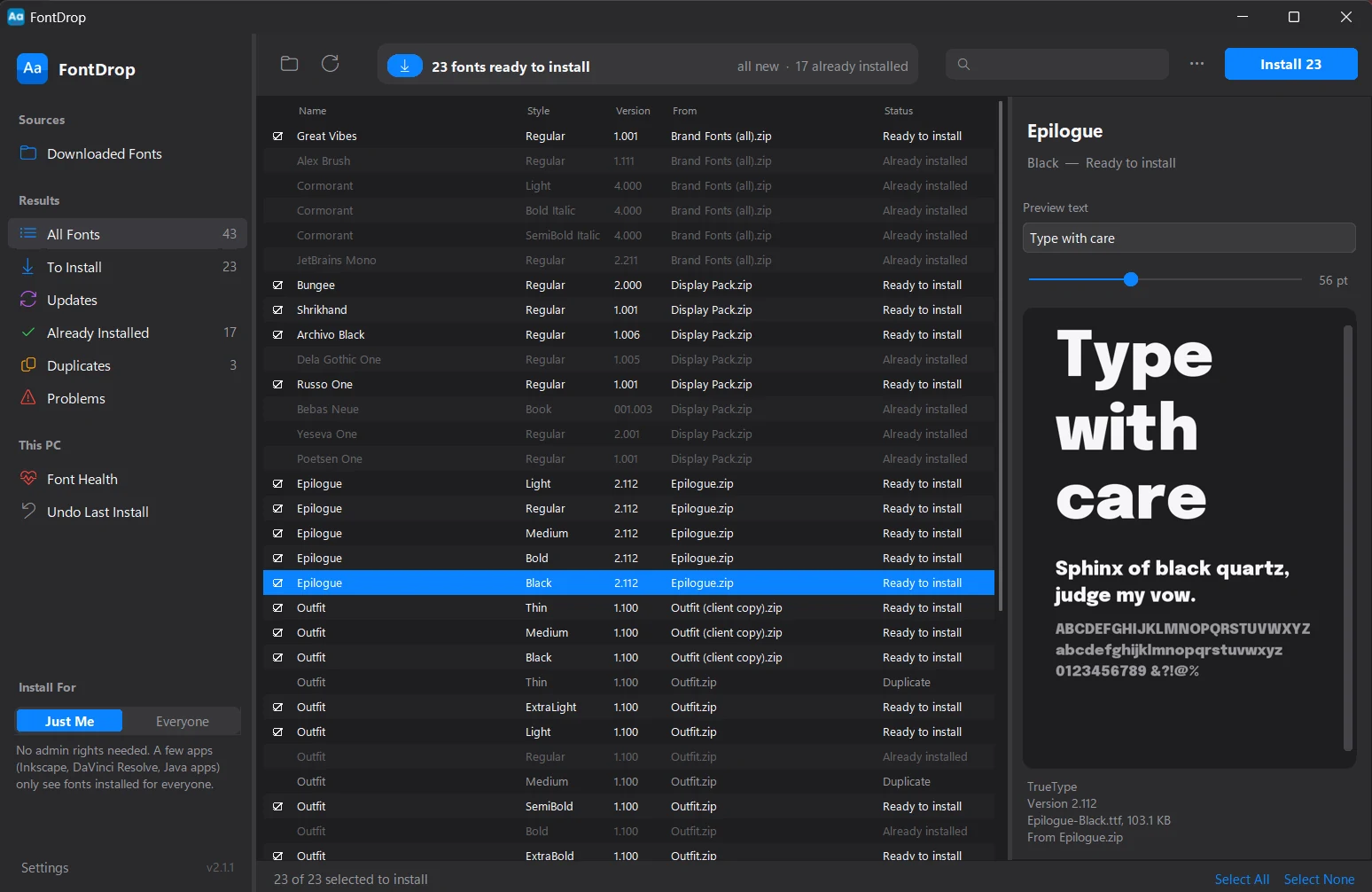
What Windows makes you do, and what FontDrop does instead.
- Windows can't install fonts from a zip.
- Opens zips and zips inside zips, and ignores the junk folders Mac zips carry.
- “This font is already installed” when it isn't.
- Spots the broken registry entry behind it and repairs it while installing.
- A “replace?” prompt for every font with a newer version.
- Finds the newer version and swaps it in place. No prompts.
- Fonts that don't appear in Inkscape, DaVinci Resolve or Java apps.
- Explains the Just Me / Everyone choice, and can move fonts to Everyone later.
- Two copies of the same font confusing every app's font menu.
- Installs one copy, and removes extra copies from this PC. Fonts that came with Windows are never touched.
- Installing hundreds of fonts at once slows Windows down.
- Warns you before a very large install, and lets you untick what you don't need.
See a font before you install it.
Type your own text, set the size, and look at the full alphabet. Check that the font is the one you were sent, then install only what you want.
FontDrop follows Windows between light and dark, and you can pin either one in Settings.
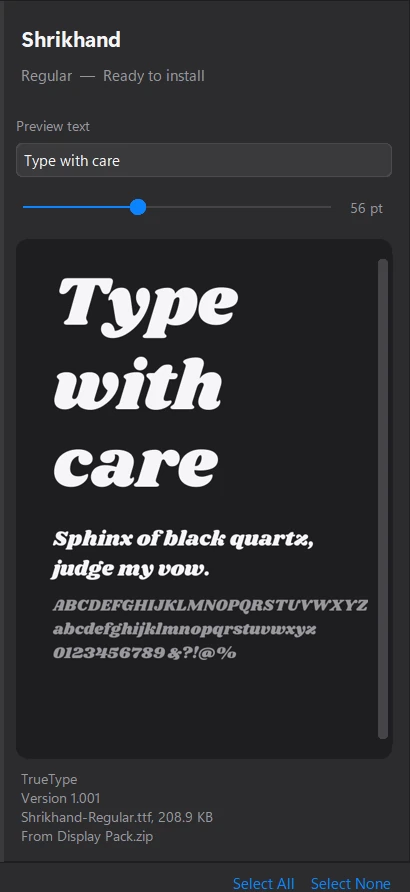
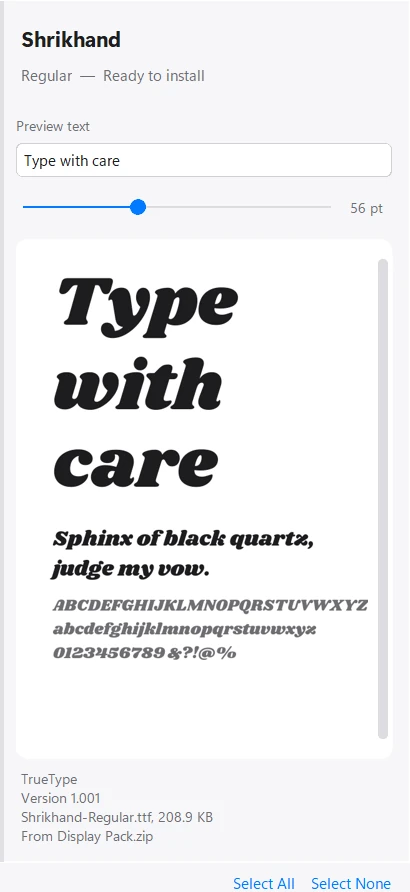
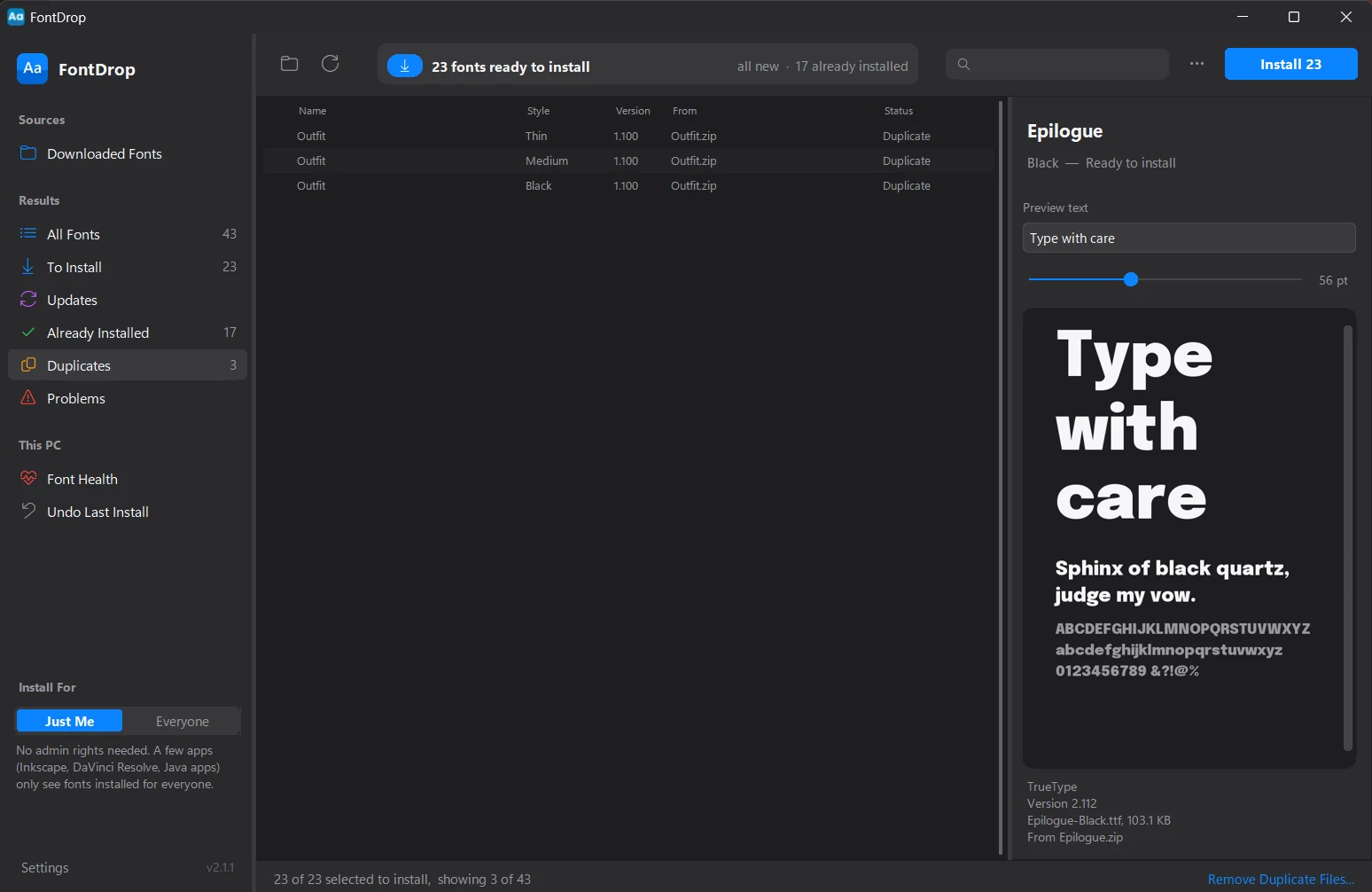
Catch duplicates before they pile up.
FontDrop compares every font by its real name and version, not its file name, so the same font in three client folders shows up once.
One click removes the duplicate files from your folder. They go to the Recycle Bin, not into thin air.
Fix “already installed” for good.
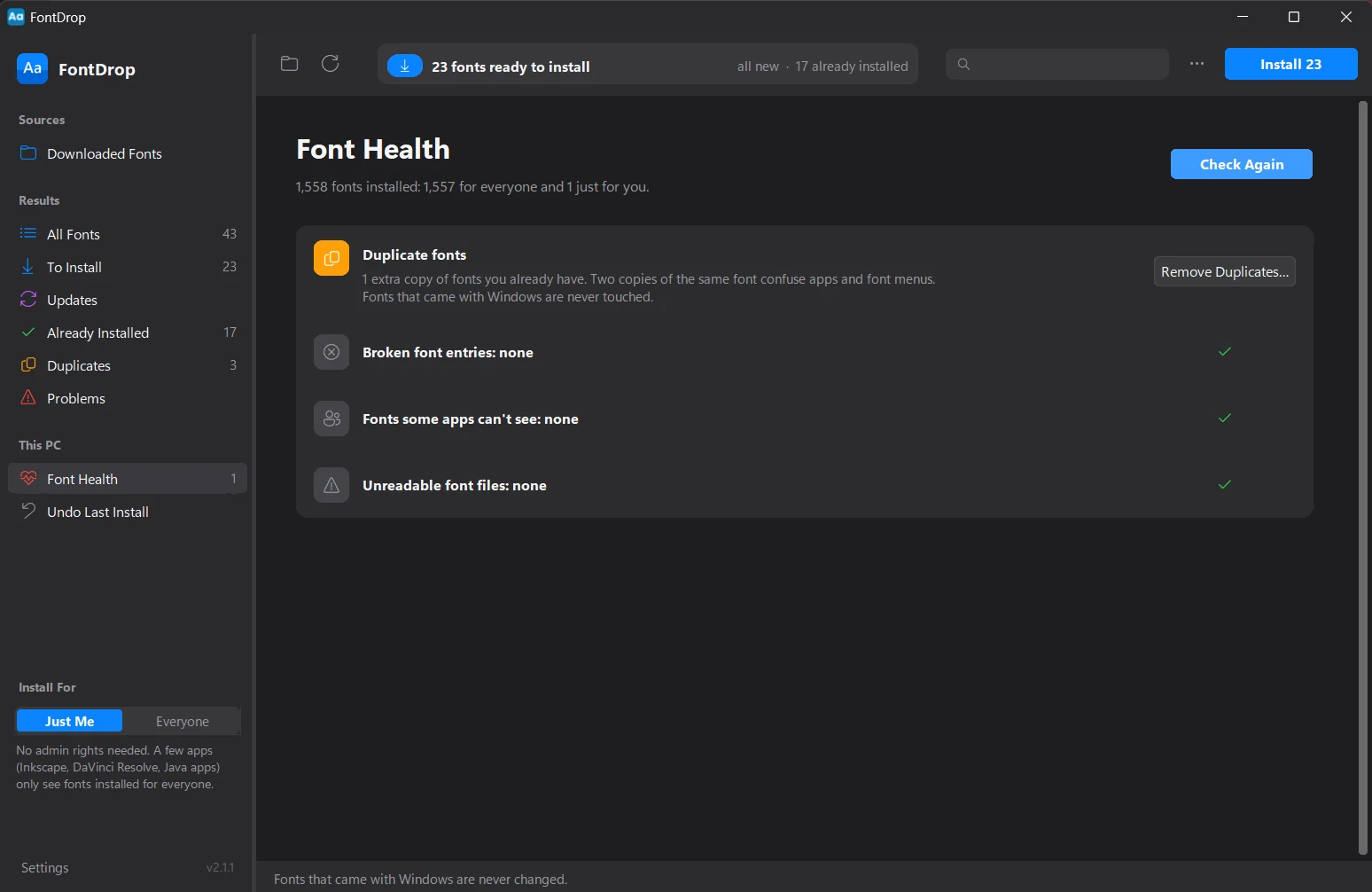
Font Health checks this PC for duplicate fonts, broken entries, fonts some apps can't see and files Windows can't read, then cleans them up.
Fonts that came with Windows are never changed.
Scriptable, for IT and for the rest of us.
Install on a studio full of PCs without opening a window. The exit code is 0 on success and 1 if any font failed.
REM every account on the PC (elevated prompt)
FontDrop.exe --install --path "D:\Fonts" --scope machine --quiet
Or turn on the Explorer option once and right-click any folder or zip: Install fonts with FontDrop.
And the details.
Undo last install
Changed your mind? One click takes the last batch back out.
Plain file names
Renames files with accents or non-Latin characters that Windows sometimes refuses.
Drag and drop
Drop folders, zips or loose font files on the window.
Export a report
Save everything FontDrop found as a CSV.
Tells you what to restart
New fonts don't show up in open apps. FontDrop says which ones need a restart.
Keyboard first
Ctrl+O to choose a folder, F5 to rescan, Ctrl+Enter to install.
Private
Your fonts never leave your PC. No account, no ads, no analytics.
Resizable and remembered
Drag the dividers to suit your screen. FontDrop keeps your layout.
$15
One payment. No subscription.
Pay once through Paystack and download the installer straight away. No account to create, and nothing renews.
Questions
Do I need administrator rights?
No. “Just Me” installs fonts for your Windows account only. “Everyone” installs for every account on the PC and needs administrator rights. A few apps, such as Inkscape, DaVinci Resolve and Java apps, only see fonts installed for everyone, and FontDrop tells you so.
Are my fonts uploaded anywhere?
No. Scanning and installing happen on your PC. The only network request FontDrop makes is the update check, and you can turn it off in Settings.
Which versions of Windows does it run on?
Windows 10 (version 1809 or later) and Windows 11, 64-bit.
How do updates work?
FontDrop checks for a new release once a day and shows you the release notes. If you accept, it checks the download's checksum before swapping it in. You can also skip a version or turn the check off.
What happens after I pay?
Paystack sends you back to a confirmation page with your download link and emails you a receipt.